
Banks Power
Banks PowerAuto & Vehicles
4.342.00 Reviews
- Version
- 3.4.5
- Installs
- 10.00K
- Age Rating
- Everyone
Screenshots
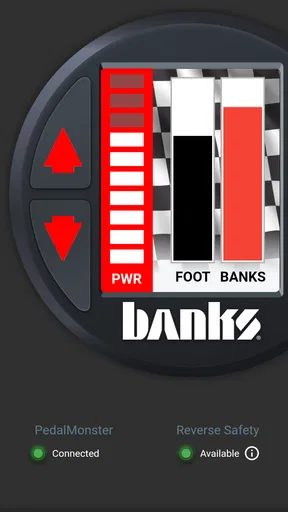
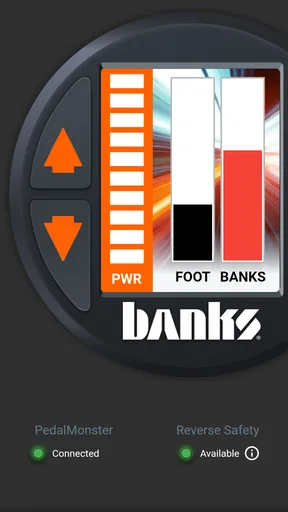
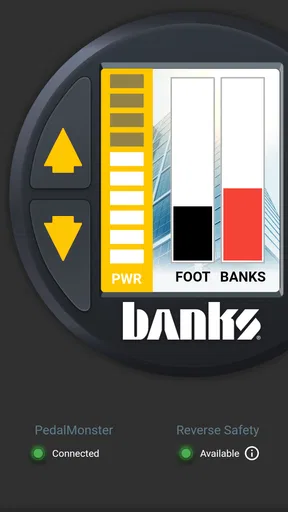
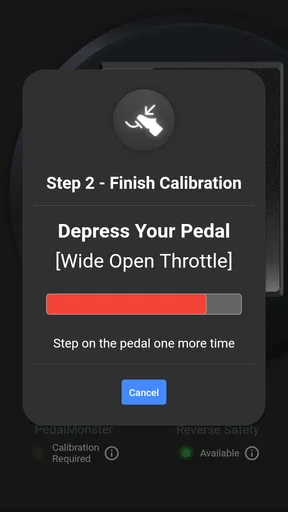
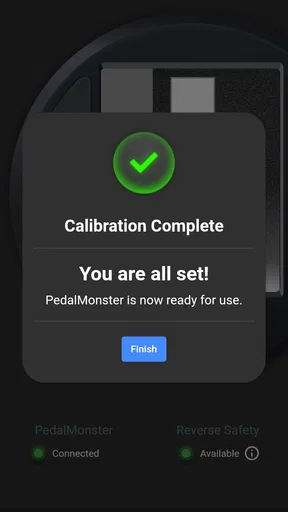
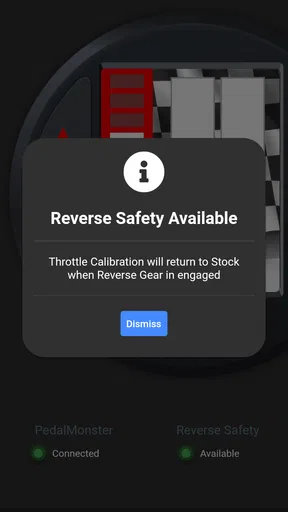
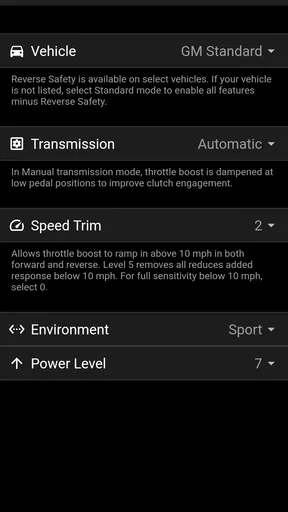
Our Review of Banks Power
 Analysis by Appyee
Controlling vehicle hardware from a phone sounds convenient until you are standing beside a truck, trying to make a change while the engine is running and the screen is difficult to read. That is where Banks Power aims to be useful. This free Auto & Vehicles app from Banks Power is built around the company’s iDash Pro and PedalMonster products, putting their controls and related information in a mobile interface rather than leaving every adjustment to a small device mounted in the cabin.
I found the appeal fairly specific: this is not a general car-maintenance app, a route planner, or a replacement for a diagnostic workshop. It makes the most sense when you already own compatible Banks equipment and want a more practical way to interact with it. If you do not have an iDash Pro or PedalMonster, there is little reason to install it just to browse around. The app’s value comes from its connection to Banks hardware, not from the phone application by itself.
How the connected experience feels in everyday use
I find the connected experience most useful when I treat it as a deliberate handoff: check the vehicle and supported Banks hardware, make any adjustments while parked, then put the phone away and focus on driving. That routine makes it easier to tell whether a setting change has actually taken effect, rather than assuming the screen alone confirms it. It also helps clarify when a dedicated in-vehicle control is the more dependable choice.
Useful when the vehicle and phone are working together
The first thing I would set up is the relationship between the phone, the vehicle, and the supported Banks device. The app is intended to give control over the iDash Pro and PedalMonster, so the important experience happens when I am physically near the vehicle and ready to make an adjustment. That makes it different from many automotive apps that are mainly for trip records, fuel tracking, or maintenance reminders.
In practical terms, the phone becomes a flexible control surface. I can imagine using it before pulling away, after changing driving conditions, or while checking how the vehicle feels with a different PedalMonster setting. The advantage is not simply having another screen. It is being able to use a familiar touchscreen interface instead of repeatedly reaching for a dedicated control or trying to interpret a compact display.
There is also a useful separation between driving and configuration. I would rather make deliberate changes while parked, confirm that the desired setting is active, and then concentrate on the road. The app supports that kind of workflow because the phone is convenient during preparation, while the actual driving task remains the priority. I would not treat it as something to operate casually while moving.
Why connectivity changes the experience
The connected nature of the app is both its strength and its main source of friction. When the phone recognizes the relevant Banks equipment, the experience can feel direct: choose the control you need, make a change, and return to driving. When the connection is not ready, the app cannot deliver the same value as a standalone utility because its purpose depends on communicating with hardware.
That means I would not wait until the last second before leaving to discover whether everything is paired and responding. A short check while parked is a better habit. Open the app, confirm that the expected device is visible, review the current setting, and only then begin the trip. This is a small routine, but it avoids turning a simple adjustment into roadside troubleshooting.
The app is especially interesting for drivers who change between different situations rather than keeping one setup all the time. A vehicle may feel better with one response during ordinary commuting and another when towing, maneuvering, or driving on a less busy road. I would still make those choices conservatively, because a sharper pedal response can change how the vehicle reacts even when the mechanical output has not been altered in the way a performance-minded driver might expect.
A realistic mobile scenario
Imagine arriving at a trailer, loading up, and preparing for a longer drive. I would park safely, keep the phone in hand only while stationary, open the Banks app, and check the connected PedalMonster before leaving. If the response feels too aggressive for slow maneuvering, I could select a more manageable setting before entering traffic. Once underway, I would put the phone away rather than treating it as a live dashboard.
Another sensible situation is a driver lending the vehicle to someone else. Before handing over the keys, I could use the app to review the active configuration and choose a response that feels predictable for that driver. That is more useful than assuming the last setting is suitable for every person or road. The important point is that the app helps with preparation; it does not remove the need for judgment.
Where a dedicated control still has an advantage
A phone is not automatically better than a physical interface. A dedicated iDash Pro remains attractive when I want information or control in the vehicle without taking out my phone. A mounted device can be easier to glance at, while a phone may be in a pocket, locked, receiving notifications, or needed for navigation. The app’s flexibility is valuable, but it does not make the dedicated hardware unnecessary.
There is also a human-factor trade-off. Touchscreens are easy to understand, yet they can be awkward with gloves, bright sunlight, vibration, or a driver who is trying to work quickly. I would use the app for setup and deliberate adjustments, not as an excuse to interact with the phone throughout a journey. If your priority is a permanently visible in-vehicle display, the iDash Pro itself may be the better center of your workflow.
What I would do when the connection fails
Connection failures are the kind of problem that matters more than a polished first impression. If the app does not show the expected hardware, I would begin with the simplest recovery steps: stop safely, keep the vehicle stationary, make sure the relevant Banks device is powered as expected, and check that the phone is communicating with it. I would then close and reopen the app before making more complicated changes.
The reason for this cautious approach is that a failed connection should not become a reason to keep tapping while driving. If the app does not respond, I would leave the existing vehicle configuration alone and continue only if the vehicle itself is operating normally. The app is a control aid, not something I would depend on as the sole safety mechanism for the vehicle.
A useful habit is to remember the last known setting before attempting a change. If a new selection appears not to apply, I would avoid making repeated adjustments without confirmation. Returning to a known state is usually more sensible than guessing. This is one of the less obvious trade-offs of connected control: convenience increases, but so does the need to notice whether a command actually reached the hardware.
Recovery is easier with a simple routine
I would keep a small mental checklist for any trip where the app matters. First, make changes while parked. Second, confirm that the hardware reflects the intended choice. Third, put the phone away. If something goes wrong later, pull over before trying to correct it. This routine is more valuable than assuming the app will always reconnect instantly.
I would also avoid treating a phone restart, a temporary communication problem, or an interrupted session as evidence that the vehicle has changed settings unpredictably. Check the physical device and the vehicle’s behavior instead of relying only on the phone screen. When an app controls a connected automotive accessory, separating “the app is not responding” from “the vehicle is unsafe” is an important part of responsible use.
Using it without wasting mobile data
Connectivity does not necessarily mean I need to spend the whole drive using mobile data. The most sensible data-conscious pattern is to handle configuration before departure, when the phone is stable and the vehicle is parked, then leave the app closed unless a genuine adjustment is needed. That reduces distractions and avoids turning a short control task into constant phone activity.
I would also avoid repeatedly opening and refreshing the app simply to see whether a device is available. If the hardware is not present or ready, repeated attempts rarely improve the situation. A deliberate retry after checking the vehicle and phone is more efficient than tapping through the same screens over and over.
For people with limited data plans, the practical question is not just how much data an automotive app uses. It is whether the app’s connected functions are being used at the right time. I would perform updates or configuration work when I have a dependable connection, keep the phone’s other background activity under control, and avoid assuming that an app designed for hardware control should be left running continuously.
That approach also helps with battery use. A phone used for navigation, calls, music, and vehicle control already has several demands placed on it. Banks Power is best treated as a focused tool rather than another app that stays open from morning to night. The less often I need to reach for it, the more useful the whole setup becomes.
Who will get the most from it
The strongest audience is a Banks customer who owns an iDash Pro or PedalMonster and wants a more approachable way to manage that equipment. It is particularly suitable for drivers who adjust their setup for different conditions, share a vehicle, or prefer using a phone interface while parked instead of working through a less flexible control method.
It may also suit someone who is comfortable with connected accessories and willing to spend a few minutes learning the correct sequence for pairing, checking, and confirming changes. The app is free, which lowers the barrier to trying it, although the meaningful experience naturally depends on having the compatible Banks hardware in the first place.
I would skip it if I do not own supported Banks equipment, if I want a broad vehicle-maintenance dashboard, or if I dislike phone-dependent controls. Drivers who want one app for fuel costs, service reminders, navigation, insurance, and general diagnostics should look elsewhere because this is a focused companion rather than an all-purpose automotive organizer.
How it compares with common alternatives
Compared with generic car apps, Banks Power is narrower but more purposeful. A fuel log can tell me what I spent on a trip, and a maintenance app can remind me about service, but neither is designed to control an iDash Pro or PedalMonster. Those alternatives are better for ownership records; this one is better when the immediate task is interacting with Banks hardware.
Compared with using only the physical controls, the app offers a larger and potentially more familiar interface. That can make setup easier, especially for someone who prefers menus on a phone. The dedicated device still wins for an always-available in-vehicle presence, and a purely manual approach wins for simplicity because it avoids another connection to check.
The right choice therefore depends on where I want the control to live. If I want flexible setup while standing outside the vehicle or sitting in the driver’s seat before a trip, the app is useful. If I want information permanently visible without touching a phone, the iDash Pro is more appropriate. If I do not need either kind of adjustment, installing a specialized companion app adds complexity without adding much value.
What the current app details suggest
Banks Power has kept this as a focused product rather than presenting it as a general-purpose driving platform. It was released on August 12, 2021, and the current release is version 3.4.5, with support beginning at Android 7.0. That broad Android compatibility is helpful for owners who do not use a recent phone, although the age of a phone’s operating system does not by itself guarantee a smooth connection with every vehicle setup.
The app has passed the early-adopter stage without becoming a mass-market tool. It has over ten thousand installs and an average score of 4.3 from 85 ratings, with 42 written reviews. I read those figures as a sign of a specialized audience: people who already need Banks hardware are more relevant here than a large general download count. The Everyone age rating also fits the app’s practical automotive purpose, though safe use still depends on keeping adjustments away from active driving.
My final view on staying connected
After looking at how the app fits into real vehicle use, I see it as a useful companion rather than a complete automotive solution. Its best moments happen before a trip, beside the vehicle, when I want to check or change a compatible Banks setting without relying entirely on a small physical interface. The connected design gives that process flexibility, but it also means I need to prepare for the occasional communication problem.
I would recommend it to an iDash Pro or PedalMonster owner who values phone-based control and is comfortable using it in a disciplined way. I would not recommend it to someone expecting navigation, maintenance tracking, or universal diagnostics. For the right Banks setup, the app makes configuration more convenient; for everyone else, it is a specialized download with little purpose.
My practical advice is simple: install it, establish the connection while parked, learn how to confirm a change, and decide which settings you want before the road gets busy. Use a physical Banks display when you need a constant in-vehicle reference, and treat the phone as a preparation tool rather than a driving companion. That balance gives the app its clearest advantage without allowing connectivity to become a distraction.
As a free app from Banks Power, it is easy for the intended owner to try. The decision is less about the download itself and more about whether your vehicle already includes the hardware this app is designed to control. If it does, Banks Power can make the connected side of that equipment feel more manageable. If it does not, the usual general-purpose automotive tools will be a better match for everyday driving needs.
Verdict
Strengths of Banks Power
- Detailed engine monitoring helps identify performance changes quickly.
- Supports data logging for comparing vehicle performance over time.
- Useful for drivers who want more control over tuning decisions.
- Clear readings can make technical vehicle data easier to understand.
- May help detect issues before they become more expensive repairs.
Limitations of Banks Power
- Advanced features may require compatible Banks hardware or sensors.
- Improper tuning can cause engine or drivetrain damage.
- Some vehicles may have limited compatibility or available data.
- Live monitoring can increase battery use during extended drives.
- Technical information may feel overwhelming for casual drivers.
Similar Picks in This Category
View All
Android Auto
Google LLC4.1

maxim — order a taxi & food
PT. SITO4.7

Штрафы ГИБДД: проверка с фото
Pays LLC – Штрафы ГИБДД4.7

Номерограм – проверка авто
Авто Ассист4.8

Дром Авто
Дром4.9

Frequently Asked Questions
What is Banks Power, and what does the app do?
Banks Power is designed for vehicle owners who want to monitor, understand, and improve engine performance, particularly on diesel-powered trucks and other compatible vehicles. Depending on the supported hardware and setup, the app may provide access to performance information, vehicle data, product guidance, and related Banks Power features. Its usefulness depends on your vehicle, installed Banks equipment, and device compatibility.
Is Banks Power compatible with my Android or iPhone?
Compatibility can vary according to the specific Banks Power product, vehicle model, operating system, and connected hardware being used. Before downloading, check the current requirements on the official Google Play Store or Apple App Store listing. You should also confirm that your vehicle and Banks device are supported, because installing the app alone may not provide full functionality without compatible Banks equipment.
Do I need Banks Power hardware to use the app?
In most cases, the app is intended to work alongside compatible Banks Power products or vehicle-monitoring hardware rather than function as a completely independent performance tool. Some information or features may be available without additional equipment, but advanced monitoring, diagnostics, or control options can require a supported Banks device. Review the product documentation before purchasing or installing anything.
Can Banks Power safely increase my vehicle’s performance?
Banks Power products and software are generally focused on improving performance monitoring, efficiency, and control, but results depend on the vehicle, configuration, maintenance, and installed components. No app can guarantee a specific horsepower or fuel-economy improvement. Performance modifications may also affect reliability, emissions compliance, warranty coverage, or local regulations, so use the recommended settings and follow professional installation guidance.
Is Banks Power free to download, and does it require an account or subscription?
The download price and available in-app services may differ between Android and iOS and can change over time. Some features may require a compatible Banks Power product, registration, account login, or paid services, while others may be available at no additional cost. Check the store page and Banks Power’s official terms for current pricing, privacy details, and any recurring subscription requirements before proceeding.
